TONE FIELD.

Synthesizer for iPhone and iPad

Tone Field.

A polyphonic instrument with a touch playing surface, microtonal tuning and a clip sequencer. Play internal sounds, edit custom scales and record notes or audio.

For iPhone and iPad · Currently in development

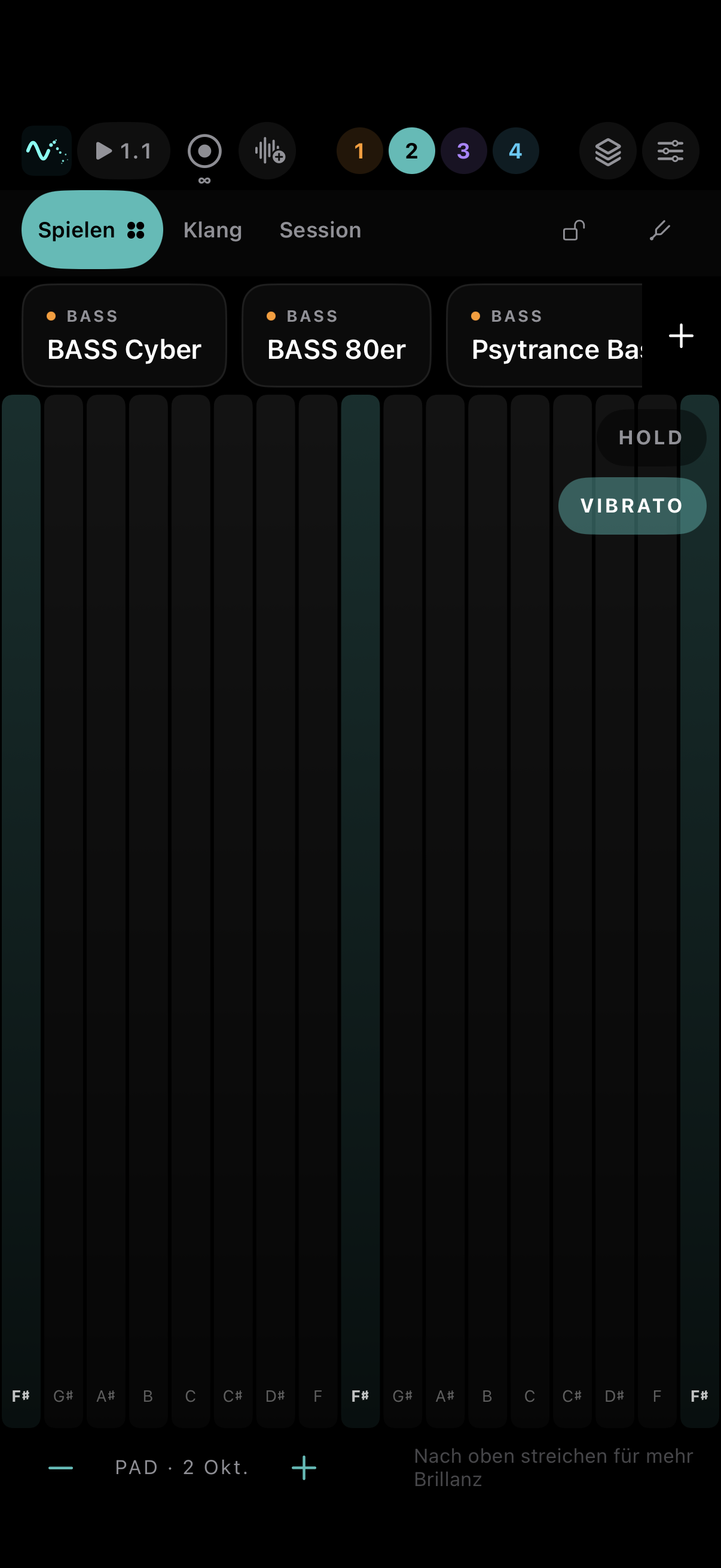
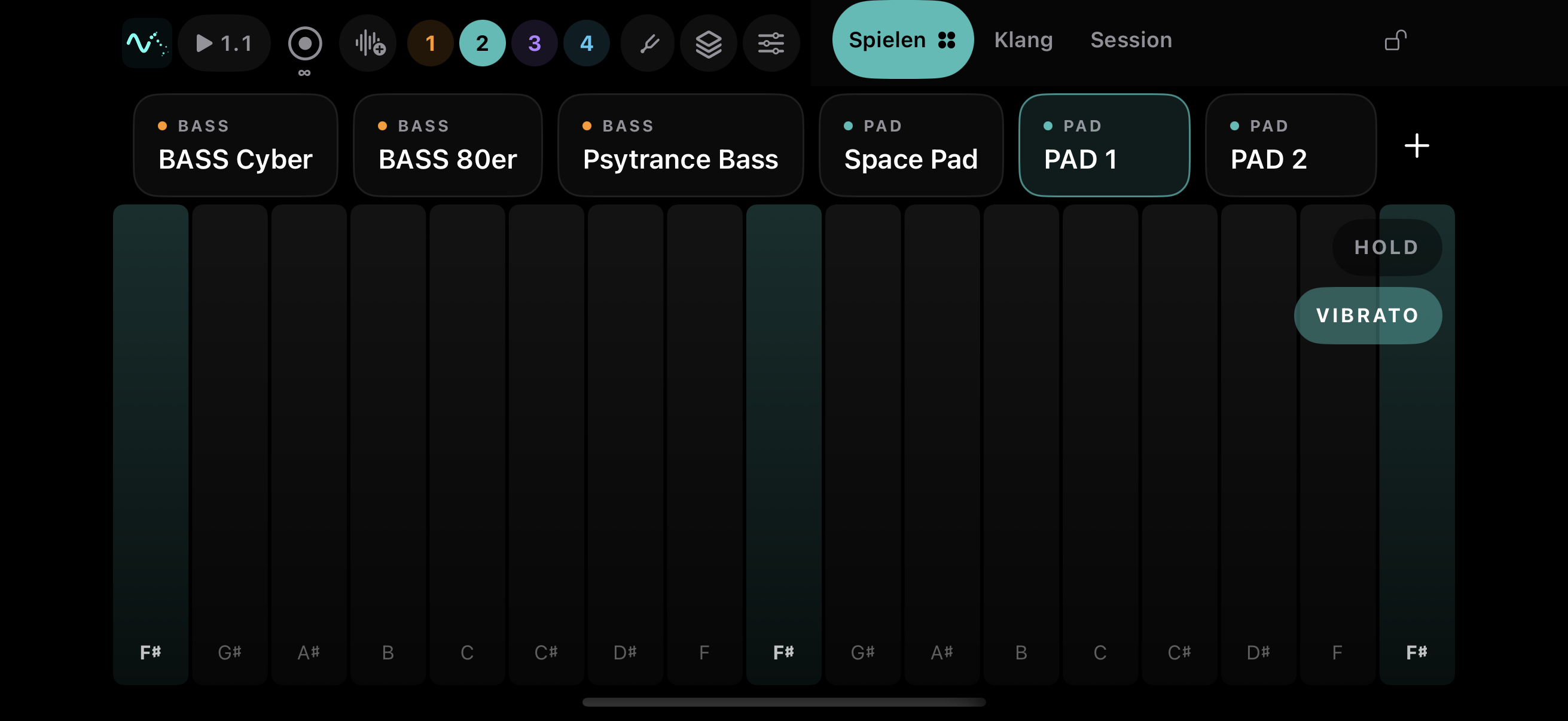
Tone Field Play view with preset selection and pitch lanes Tone Field in landscape: playing surface and console side by side
Current simulator build · 21 September 2026

The workspaces

Play, Sound and Session share tuning and transport. Changing a sound affects the selected track and leaves the other tracks unchanged.

Screenshots show the German interface. The app also supports English.

Play view with presets and polyphonic touch surface Play view with presets and polyphonic touch surface — landscape
Open full-size screenshot ↗

01 / Play

Pitch and timbre

Horizontal position determines pitch; vertical movement shapes timbre. Multiple fingers play separate voices. Presets are available above the playing surface.

  • Four pitch modes: snapped, snapped with vibrato, free glide and ribbon.
  • HOLD sustains notes, chords included. The locked stage mode protects against accidental control changes.
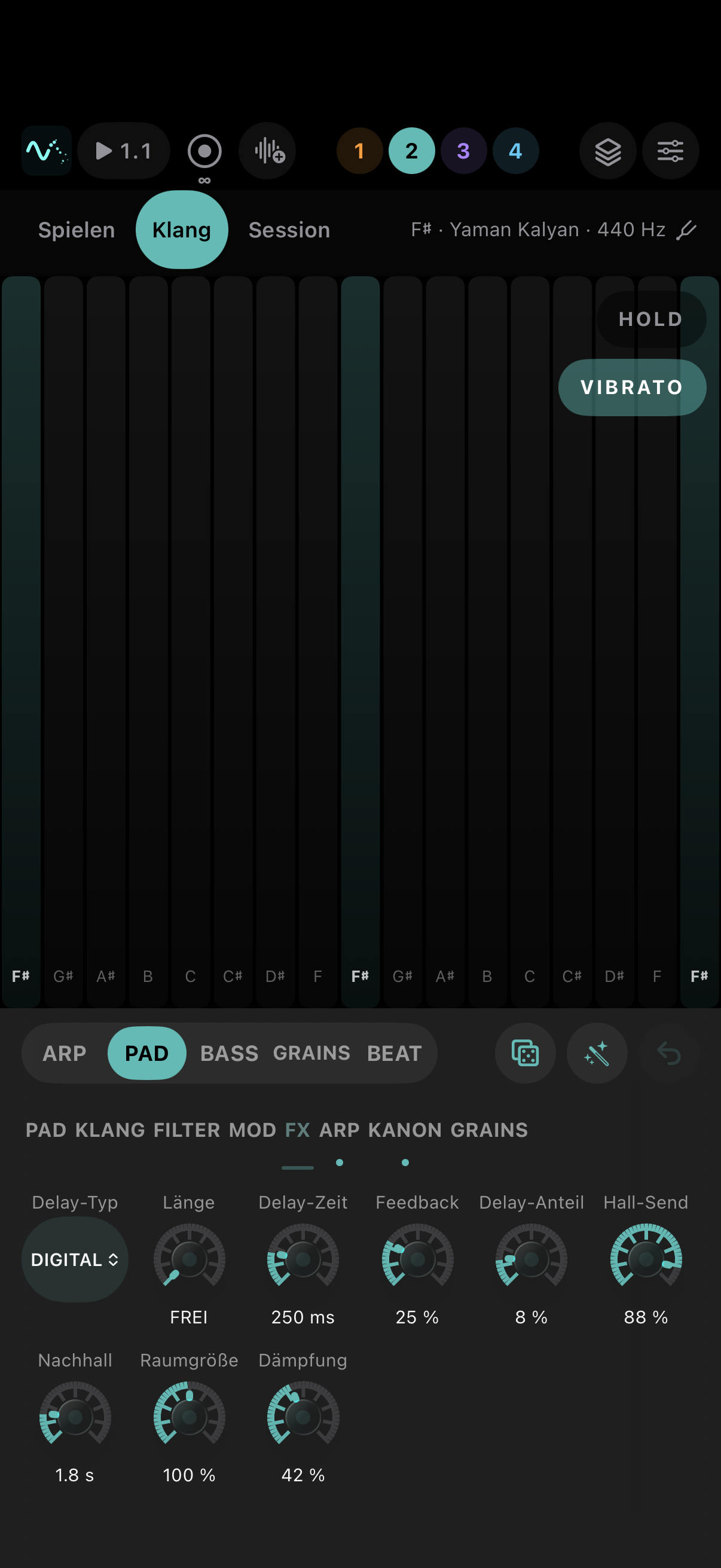
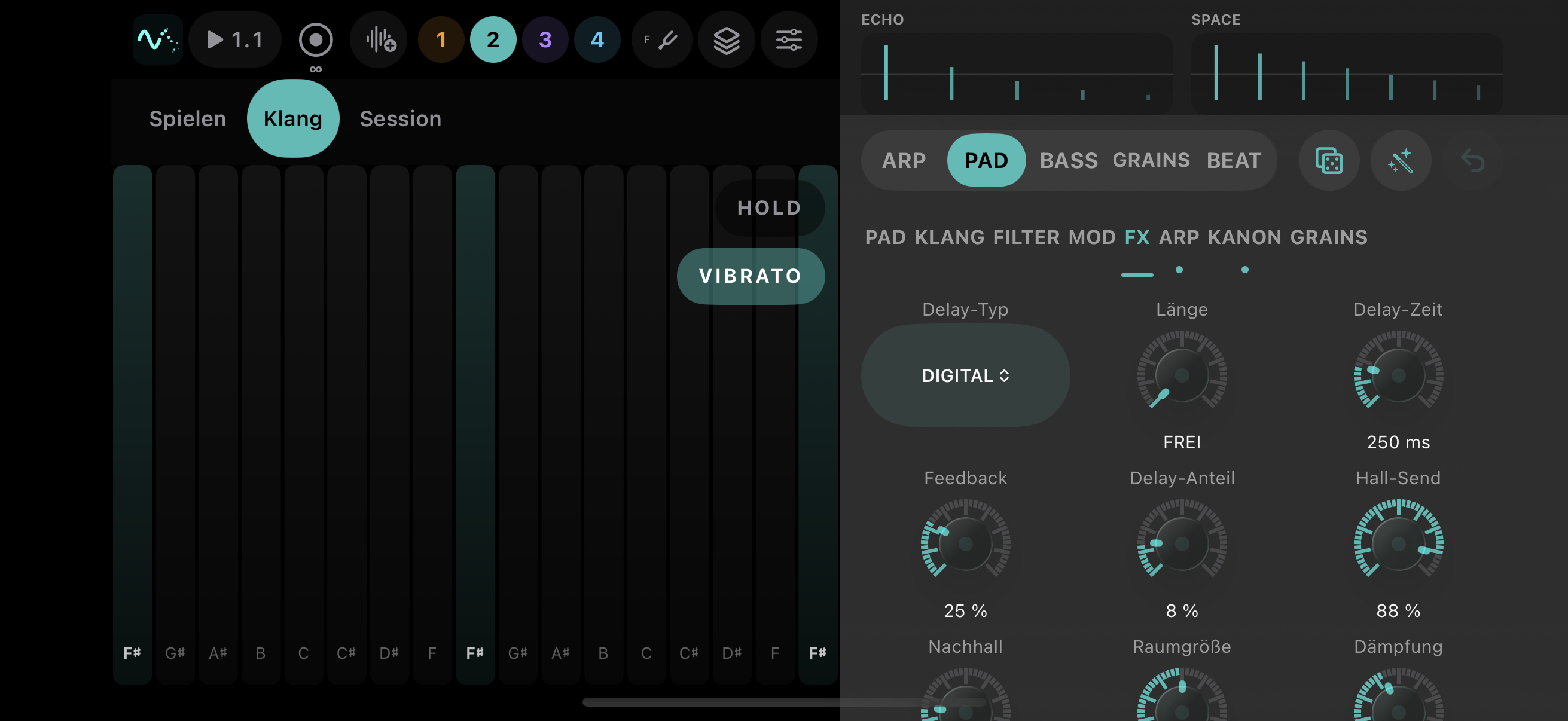
Sound view with parameter banks Sound view with parameter banks — landscape
Open full-size screenshot ↗

02 / Sound

Sound design per track

The console groups parameters into banks. Pads, basses, arpeggios and granular sounds share the playing surface; controls adapt to the selected mode.

  • Filters, modulation, envelopes, arpeggiator and canon have dedicated controls.
  • Digital, Tape, Ping-Pong and Dub delays differ in feedback, filtering and stereo behaviour.
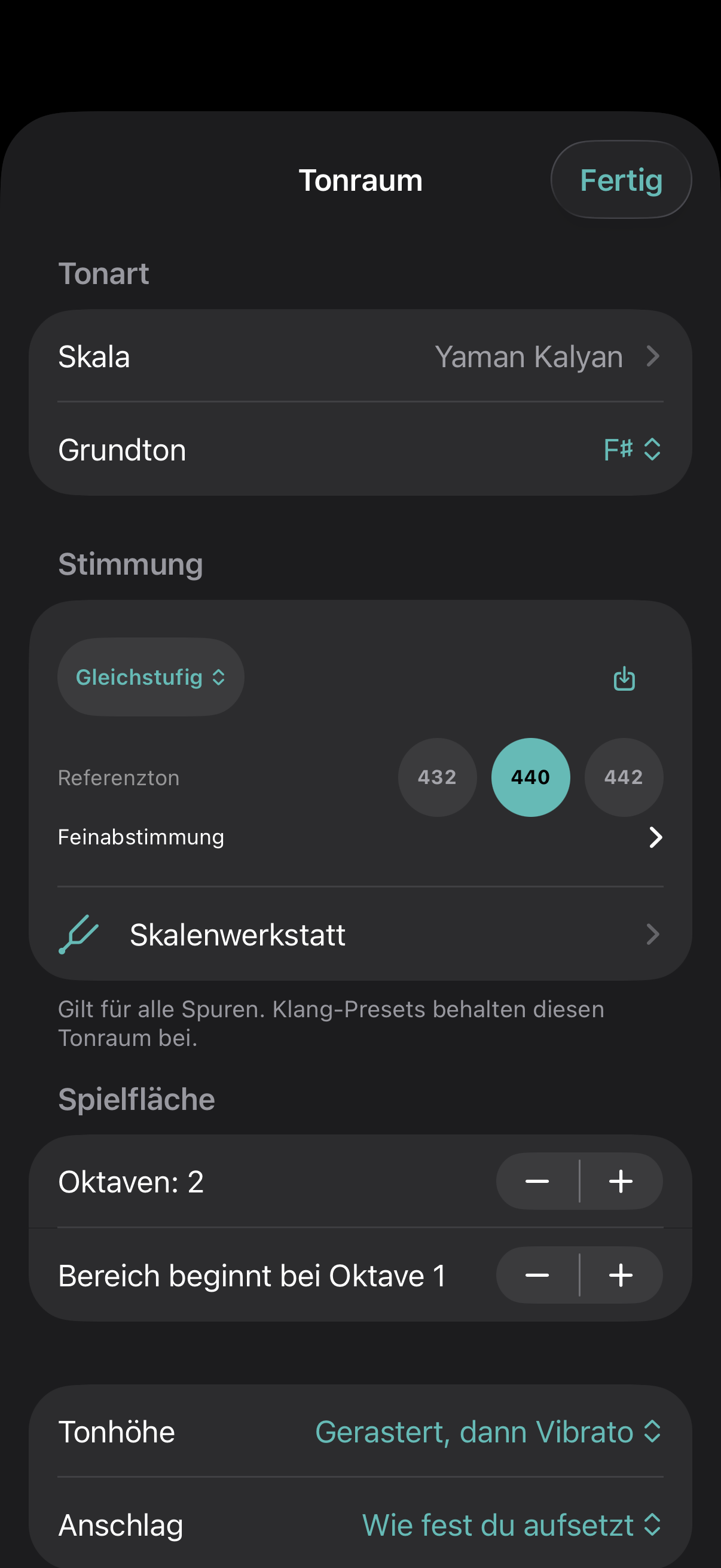
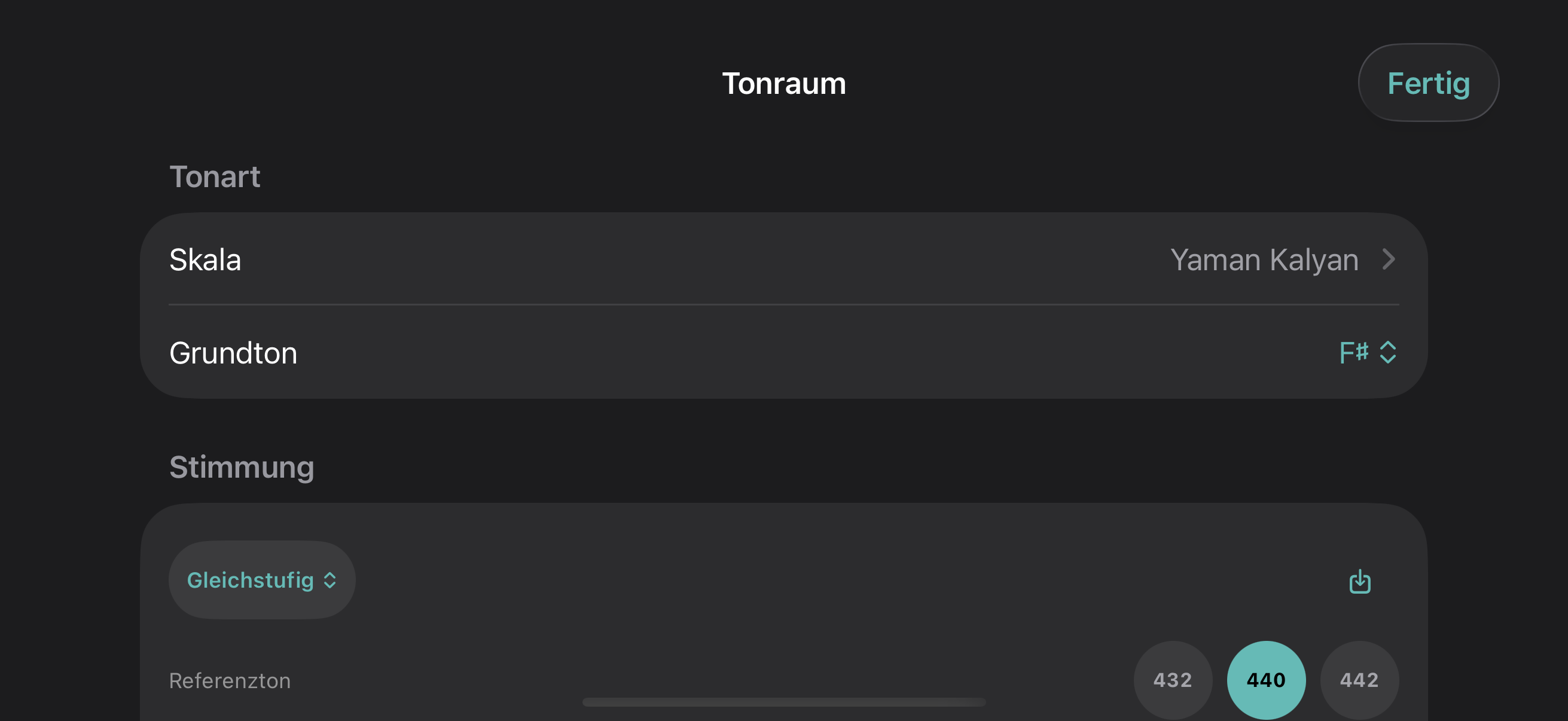
Tuning view with scale and temperament Tuning view with scale and temperament — landscape
Open full-size screenshot ↗

03 / Tuning

Scale and temperament

Root note and scale define the pitch steps. Tuning sets their frequencies: equal temperament, just or adaptive. Reference pitch and stretch are additional settings.

  • Reference range: 400–480 Hz, with shortcuts for 432, 440 and 442 Hz.
  • The Scale Workshop edits cents and frequency ratios, with auditioning and Scala import/export.
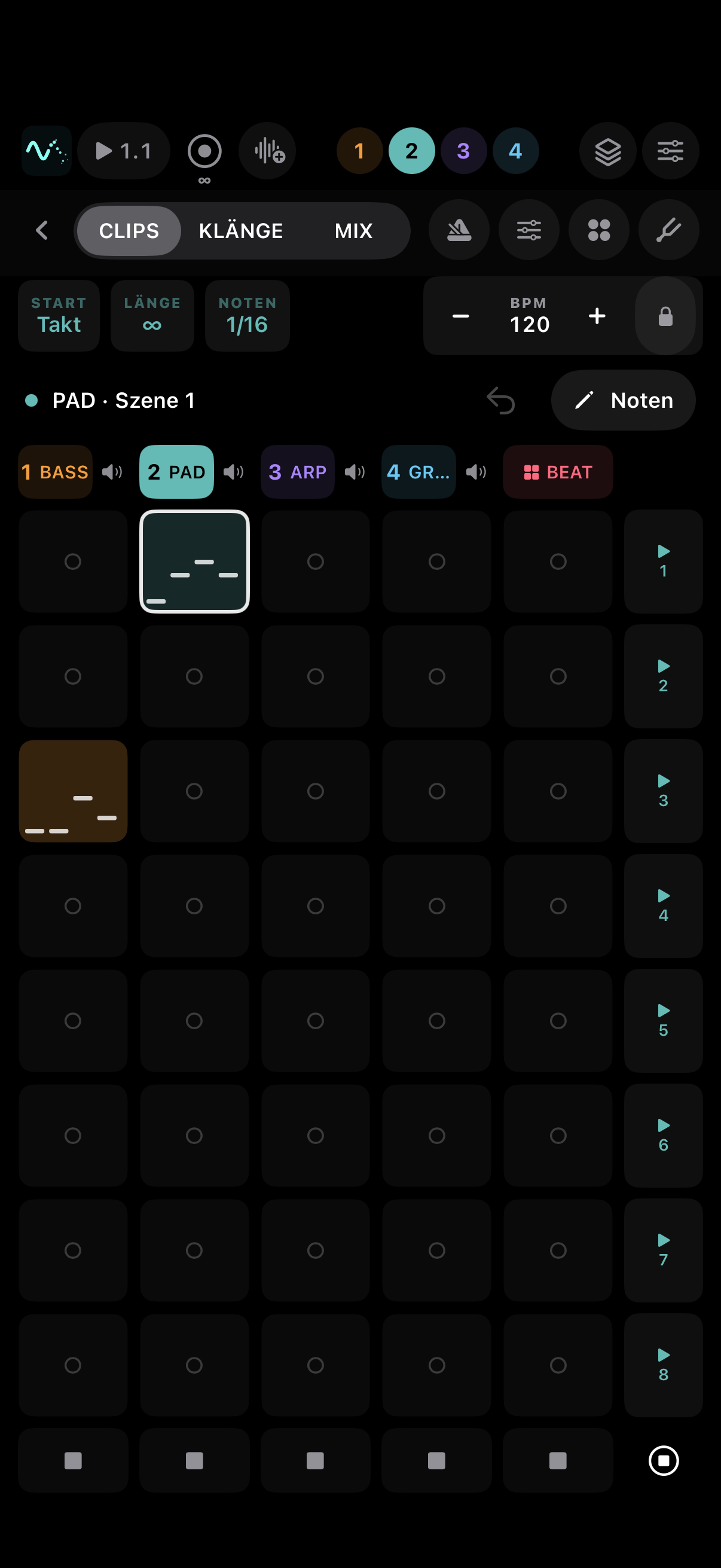
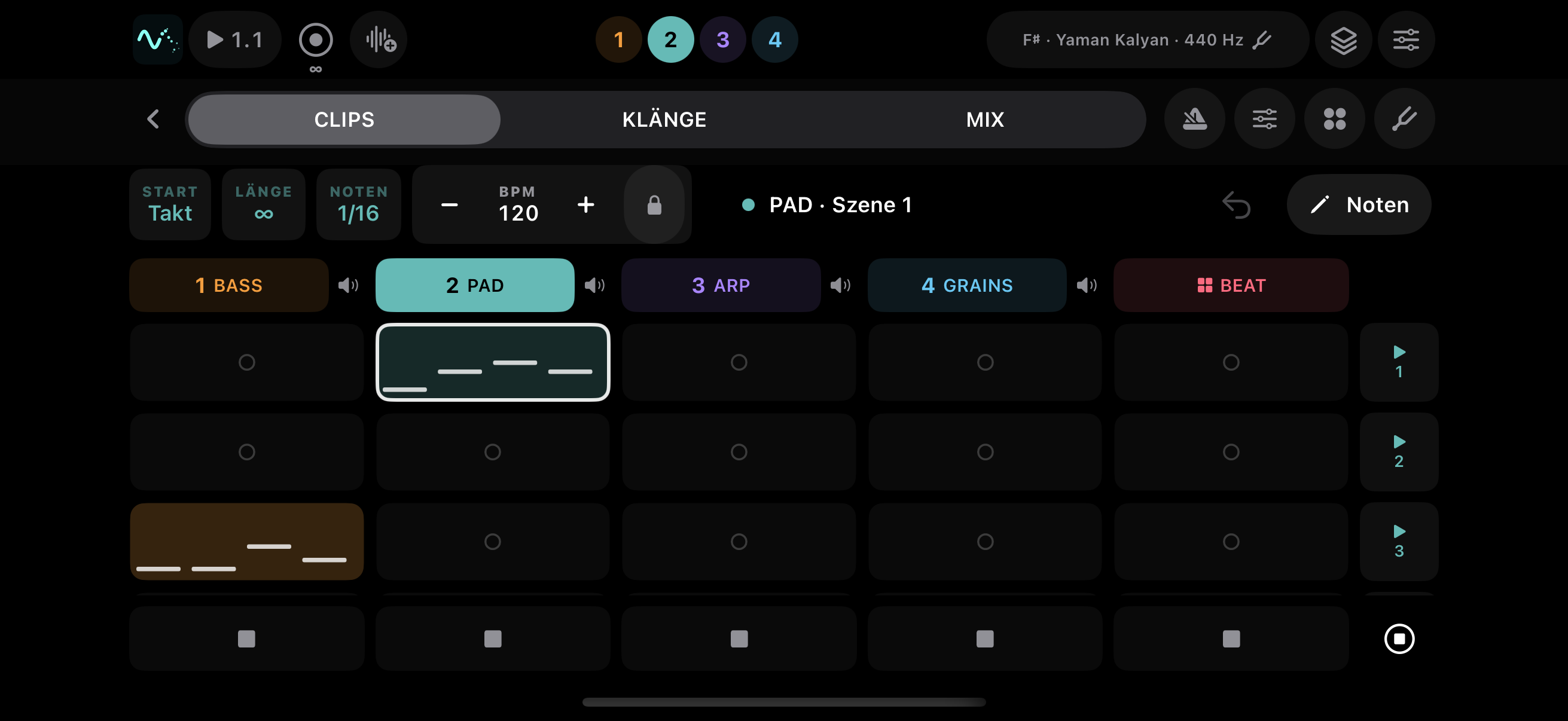
Session with four tracks and eight scenes; two example clips Session with four tracks and eight scenes; two example clips — landscape
Open full-size screenshot ↗

04 / Session · Clips

Record and edit clips

Four instrument tracks and eight scenes organise recordings. Clips launch on a shared grid. The note matrix lets you correct pitch, position and length.

  • Recording and clip launches are quantized separately.
  • The session has three pages: CLIPS, SOUNDS and MIX. A synthesized beat accompanies the instrument tracks.
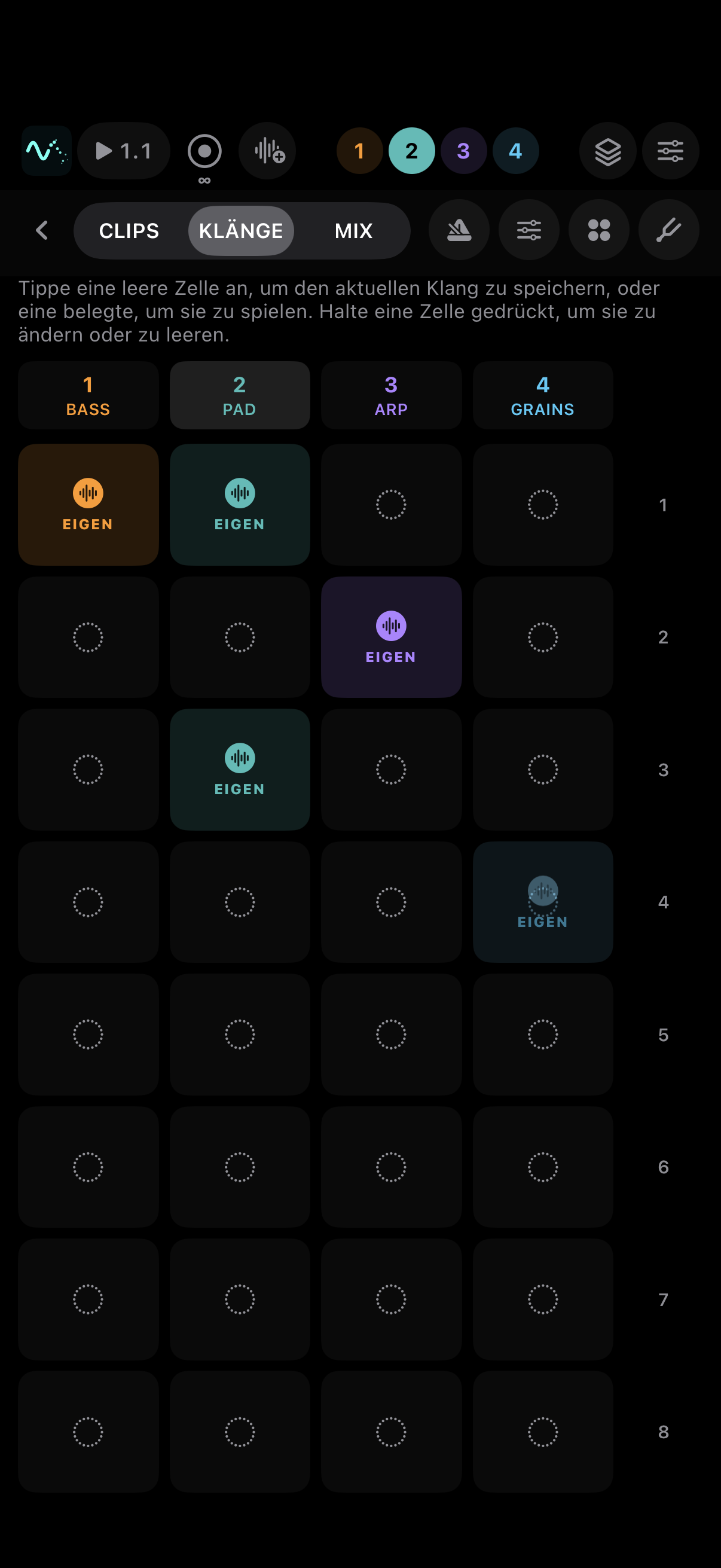
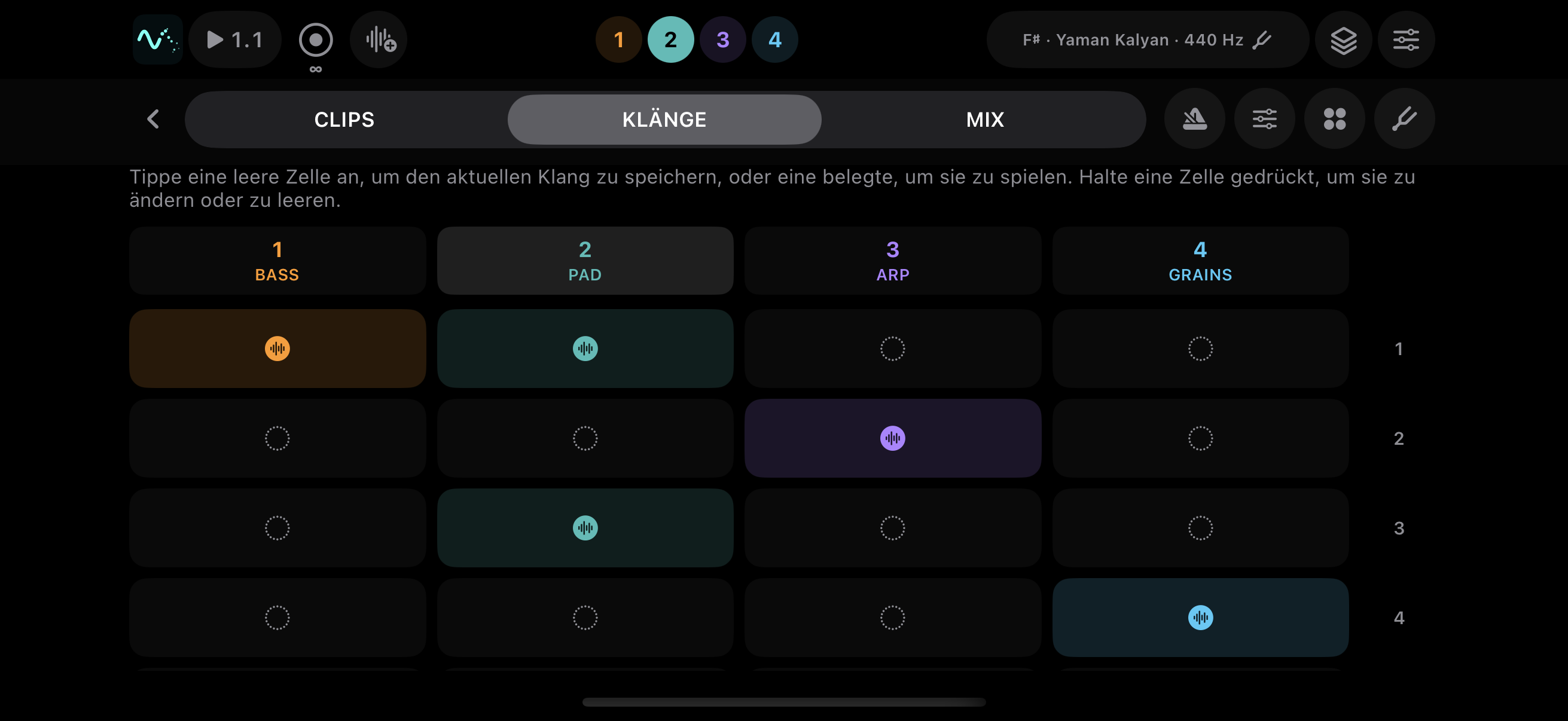
Session sound grid with filled and empty cells Session sound grid with filled and empty cells — landscape
Open full-size screenshot ↗

05 / Session · Sounds

Every scene keeps its settings

The sounds page is laid out like the clip grid but holds no notes: it holds the state of the instrument. An empty cell takes the current settings; a filled one recalls them the moment you tap it.

  • Sound, arpeggiator, canon and octave are stored — and the tempo if you want it.
  • The lock beside the tempo decides whether a scene brings its own tempo or the one you set stays.
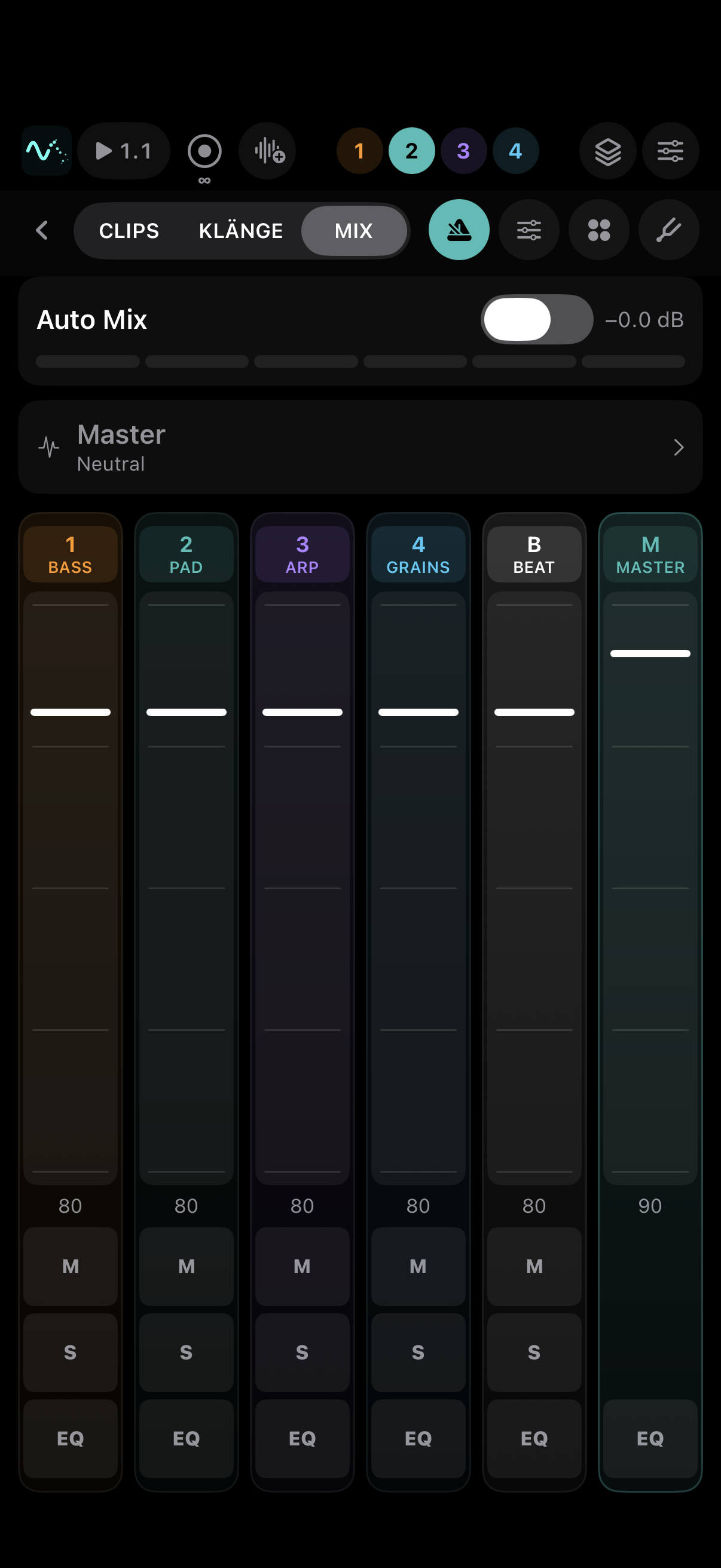
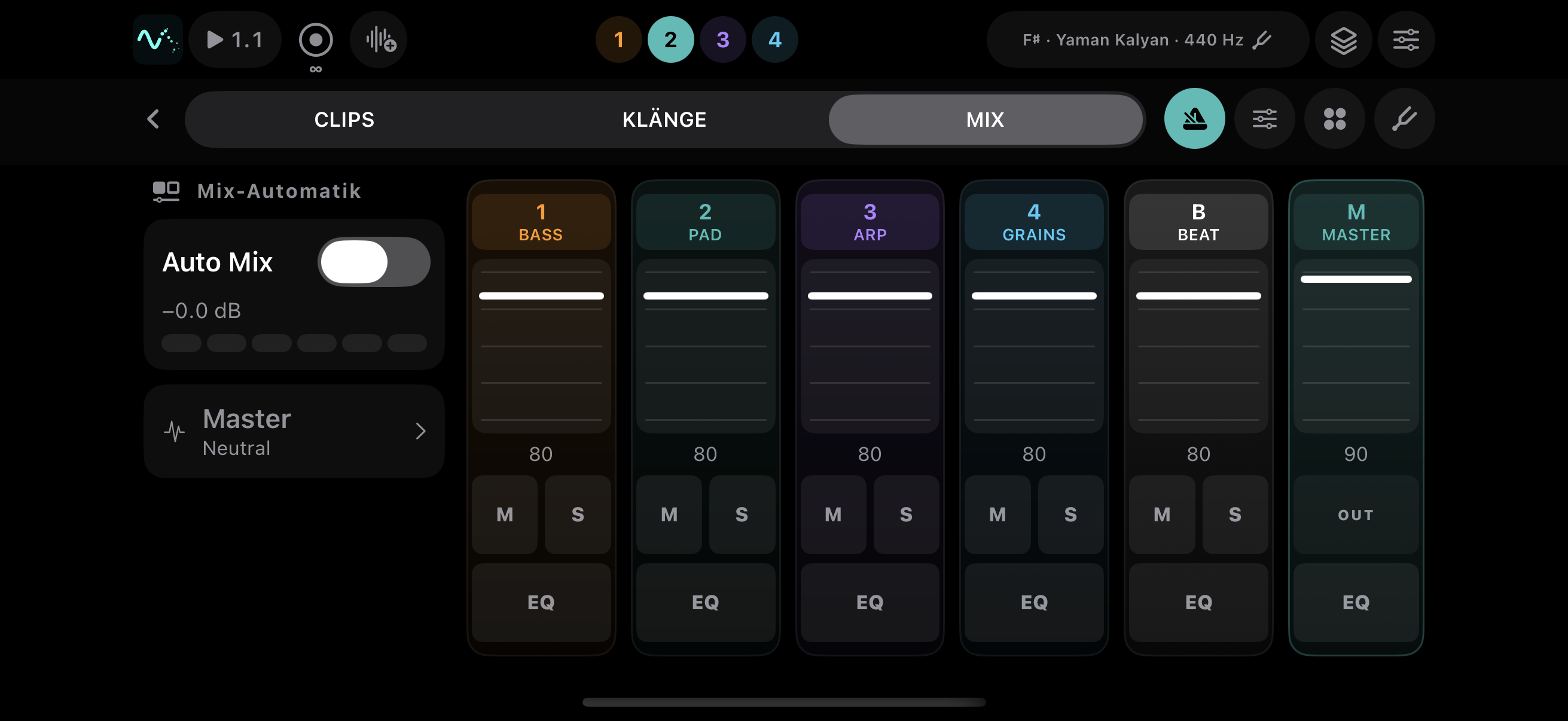
Mixer with instrument tracks, beat, master and Auto Mix Mixer with instrument tracks, beat, master and Auto Mix — landscape
Open full-size screenshot ↗

06 / Session · Mix

Levels, Auto Mix and export

The mixer brings together instrument tracks, beat and master. Volume, mute and solo remain directly accessible. Auto Mix adds automatic dynamic correction.

  • Auto Mix is optional and does not replace balancing track levels yourself.
  • Audio takes can be shared as WAV or M4A, a whole scene as a stem archive.

07 / Handing it on

A scene leaves the device as separate tracks.

A stem export packs one chosen scene into a ZIP archive: a MIDI file per instrument track, with audio alongside it if you want. You are asked what you need before anything is rendered, and the progress is visible.

MIDI per track
Standard MIDI files with notes, velocities, tempo and per-note MPE tuning. Continuous movement within a note is not yet included.
Audio per track
Optionally alongside; the beat either as one track or split into kick, snare, hi-hats, percussion and 808.
Shared like any file
The archive goes through the usual share sheet to a DAW, to the Files app or to another device.

Sound examples

Rendered by the app itself: every clip comes out of Tone Field's own sound engine rather than being recreated. The markers jump straight to the comparison.

Tuning

The same major chord: equal temperament at 440 Hz, then pure at 432 Hz. The beating in the third stops.
Drums by tempo

The same machine twice: the tempo chooses the style. Deep techno with a clap at 124, hardtekk at 152 with a snare, a bouncing kick and the 808 underneath.

Beat character

One dial across the whole kit while the rhythm and the tempo stay where they are.

Delay character

The same figure through the four delays. The filters sit inside the feedback, so each echo darkens.

Width

The same kit in mono, then widened. Width works on phase, not on delay.

Headphones recommended, especially for tuning and width.

Technical feature overview

Currently implemented features. Tone Field is still in development; this is not a specification for an already released App Store version.

Instrument and platform
Standalone synthesizer for iPhone and iPad running iOS 18 or later, with German and English interfaces. Play, Sound and Session are workspaces within the same project.
Sound engine
Four instrument tracks with up to 16 synthesizer voices each. Oscillator synthesis, sample playback and granular synthesis, with filters, envelopes and modulation.
Playing surface
Polyphonic touch input: horizontal movement controls pitch, vertical movement controls timbre. Four pitch modes: snapped, snapped with vibrato, free glide and ribbon. HOLD sustains notes; pinned presets provide sound changes within Play.
Sampling and granular synthesis
Record sounds through the microphone, or load an audio file, and play them as samples or granular sources. Grain size, density and scatter shape playback. Recording requires microphone permission.
Arpeggiator and canon
Add an optional arpeggiator to the instrument. Held notes share a common pulse rather than running on independent clocks. Canon repeats notes after a delay and transposes them in degrees of the selected scale.
Clips and note matrix
Four tracks × eight scenes. Record note clips, loop them and edit pitch, position and length in the note matrix. Recording quantization and launch quantization are set separately.
Scene sounds and tempo
The SOUNDS page stores sound, arpeggiator, canon and octave settings per scene and track. Scenes can store a tempo; the tempo lock determines whether recalling a scene applies it.
Beat generator
Tempo-selected grooves from Dub and Deep Techno through Driving Techno to Hardtekk. Synthesized kick, clap/snare/rim backbeat, open and closed hi-hats, knock/tom/cowbell/zap percussion and an 808 sub voice.
Beat sound and rhythm
Density, swing and rumble, plus individual drum parameters. A shared character control moves from Deep through Warm and Raw to Industrial, with sound variation and width. Instead of the generator, a beat clip can play: set steps by hand, with accents or ghost notes, play them in on the drum pads, or write down the running groove. Individual steps can be edited.
Effects and mixer
Drive, delay and reverb. Four delay types: Digital, Tape, Ping-Pong and Dub. Track levels, mute/solo, beat and master controls; the Width control widens the stereo image using phase processing. There is also a channel EQ per track with lows, mids, highs and a low cut, and a master curve whose bands adjust dynamically.
Auto Mix
Optional dynamic resonance reduction across six bands from 100 Hz to 3.2 kHz, with adjustable intensity. It does not automatically balance track faders or provide complete mastering.
Tuning and reference pitch
Equal temperament, just and adaptive just tuning, plus 19-EDO, 24-EDO and Scala scales. Reference A from 400 to 480 Hz, 432/440/442 Hz shortcuts and stretch adjustment. Adaptive tuning includes purity and retuning-time controls.
Scale Workshop
Built-in scales including jazz and raga scales, or custom intervals. Edit and audition steps in cents or frequency ratios; equal divisions with 2–72 steps over an octave or tritave; local library and Scala import/export (.scl).
Live MIDI and MPE
MIDI input for external controllers and output for external instruments. Per-note MPE pitch movement, CC 1 and CC 74 for modulation/timbre, adjustable pitch-bend ranges and network MIDI. The vertical position can additionally send velocity, aftertouch or expression (CC 11). Internal sound can be muted while sending.
Audio Unit plugin
Tone Field is also being prepared as an AUv3 instrument for iPhone, iPad and Mac: the same interface and the same projects inside a DAW. For hosts that accept no MIDI from plugins, such as Ableton Live, the plugin has a MIDI port of its own. The plugin is a separate product.
Audio recording
Record the running mix and share it as WAV or M4A. This captures the output actually played, separately from scene-based offline export.
Scene export
ZIP archive with MIDI files for the occupied instrument tracks in one scene; optional WAV stems and beat audio, either combined or split by drum. This exports a scene, not a complete song arrangement.
MIDI files: current scope
Standard MIDI files with notes, velocity, duration and tempo. Tuning is carried through MPE channels and per-note pitch bend. Continuous pitch and timbre changes within a note are not currently exported. Adaptive tuning is calculated against the fixed root.
Projects and stage mode
Projects store tracks, clips, scene sounds, tuning and mixer settings locally and can be shared as project files. A locked stage mode protects the playing surface. Core features require no user account.

Good to know.

Can I download Tone Field yet?

The app is currently in development. Once it is released, this page will link to the official App Store listing. Pricing and a release date have not been set yet.

Do I need an account or an internet connection?

The instrument needs no account. Sound generation, scales and projects work locally. You can choose to use network MIDI connections and file sharing when you need them.

Can I use my own scales?

Yes. Import Scala files or create your own scales in the Scale Workshop. Edit cents and pure ratios, audition changes and share the result as an .scl file.

Can I take my ideas into a DAW?

Yes, through the stem export: a scene is shared as a ZIP archive with a MIDI file per track, optionally with audio tracks as well and with the beat split into individual drums. The MIDI files carry the tempo and MPE pitch movement.

Is Tone Field a complete DAW?

No. Tone Field is an instrument first, with a compact session workspace alongside it. It is designed to make musical ideas accessible, not to replace every tool in a large studio.

Developed by Conrad Knorr

Tone Field is an independent instrument project by Conrad Knorr. Other music and software projects are available on conradknorr.de.

More about my work ↗

Contact and feedback

For technical questions, please include your device, iOS version and the affected feature.

Write to Conrad